Migrating from WordPress to Astro: What Actually Changes (and What Breaks)
Most WordPress sites don’t start slow. They get slow — one plugin at a time, one theme update at a time, until a page that’s mostly text is shipping a megabyte of JavaScript it never uses. At some point the honest fix isn’t another caching plugin; it’s a different architecture. For content-driven sites, Astro is increasingly that architecture. Here’s what a move actually involves, minus the framework evangelism.
Why Teams Move in the First Place
The pattern is almost always performance. WordPress renders pages on the server per request and layers plugin scripts on top, so a typical install carries baggage a marketing site doesn’t need: jQuery, multiple plugin stylesheets, a page-builder runtime, render-blocking third-party embeds. That baggage is what shows up as poor Core Web Vitals — slow LCP, blocked interactivity, high TTFB.
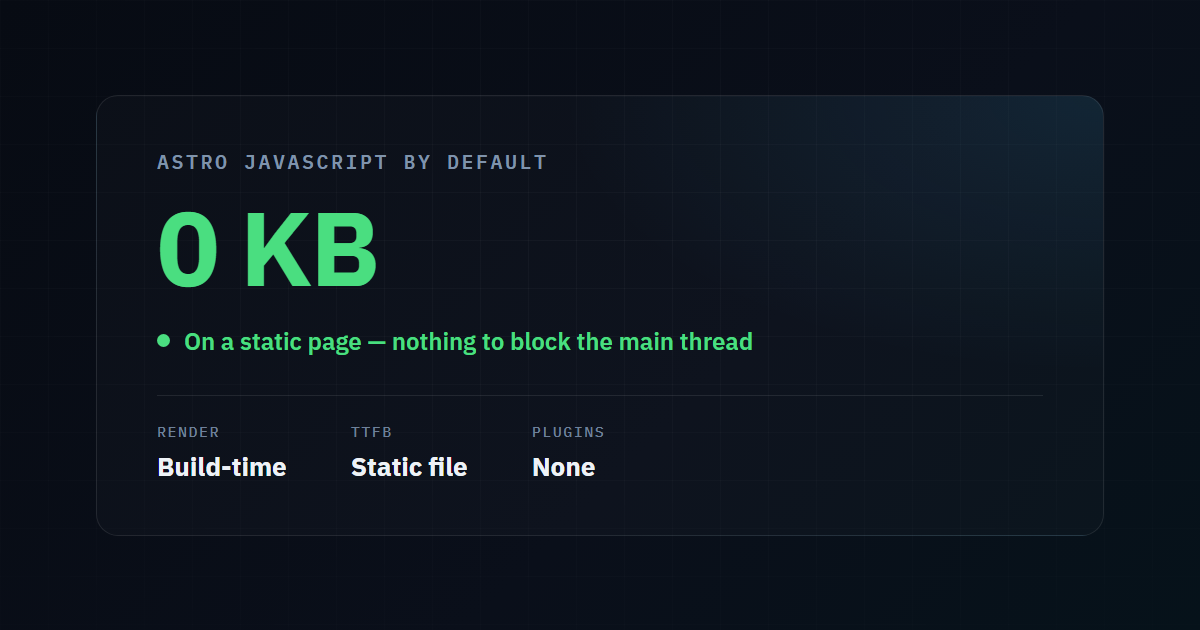
Astro takes the opposite default. It renders your pages to static HTML at build time and ships zero JavaScript unless a specific component genuinely needs it. The result isn’t a marginally faster WordPress site — it’s a structurally different performance profile, because there’s simply no framework runtime to download on a page that doesn’t need one.
What Carries Over Cleanly
The migration is less scary than it sounds, because most of what matters transfers directly:
- Content. WordPress posts export to Markdown, which is exactly what Astro’s content collections consume. Each post becomes a
.mdfile with frontmatter for the title, date, and meta tags. - URL structure. Astro can reproduce your existing permalink pattern (
/blog/post-name/) exactly, which is the single most important thing for preserving rankings. - Metadata. Title tags, meta descriptions, and canonical tags move into frontmatter and template logic — often cleaner than the plugin-driven version they replace.
What Actually Breaks (and How to Prevent It)
Every platform migration fails the same way: not because the new platform is worse, but because URLs change and redirects get forgotten. The specific traps:
| Trap | Prevention |
|---|---|
Trailing-slash mismatch (/post vs /post/) | Pick one convention and 301-redirect the other |
Lost ?p=123-style legacy URLs | Map old query-string permalinks to new paths with redirects |
| Author/category/tag archive URLs | Recreate or redirect the archives that had inbound links or traffic |
| Image URLs changing path | Keep image paths identical, or redirect the old media library structure |
| Dropped meta descriptions | Audit that every migrated post kept its description in frontmatter |
The safe process is: crawl the live WordPress site first, export every indexed URL, and treat that list as the contract the new site must honor. Anything on it either keeps its exact URL or gets a 301 to its new home. Miss this step and you’ll watch rankings drop for a month while Google re-discovers your site — a self-inflicted wound that has nothing to do with Astro.
Forms, Search, and the “But WordPress Did That” Gaps
A static site can’t run server-side PHP the way WordPress does, so a few features need a deliberate replacement rather than a plugin:
- Contact forms move to a form endpoint — a small serverless function or a form service — instead of a WordPress plugin. Lighter and more secure, but it’s a decision, not a default.
- On-site search either uses a client-side index (fine for hundreds of posts) or a hosted search service (better for thousands).
- Comments, if you need them, move to a third-party service since there’s no WordPress database to store them.
- Non-technical editing is the real consideration. If editors need a wp-admin-style interface, pair Astro with a headless CMS so the writing experience stays familiar while the front end stays static.
None of these are dealbreakers, but pretending they don’t exist is how migrations stall halfway.
The Honest Trade-Off
Astro wins decisively on performance, security surface (no PHP, no database, no plugin vulnerabilities), and hosting cost (static files are cheap to serve). WordPress wins on plugin breadth and out-of-the-box editor familiarity. The decision comes down to what your site actually is:
- A content or marketing site — blog, services, case studies — is close to an ideal Astro candidate. This is where the performance gain is largest and the feature loss is smallest.
- A complex application — membership, e-commerce with heavy dynamic logic, deeply plugin-dependent workflows — needs a harder look before committing.
If your site is mostly pages and posts that render the same for every visitor, you’re leaving speed on the table by rendering them per-request.
See the Gap on Your Own Site
Before deciding, measure. Run your current WordPress site through our free tool and note the LCP, TTFB, and blocking-time numbers — those are the metrics a static rebuild moves the most. It’s the honest baseline to compare any migration against.
Check your current site’s performance →
Thinking About a Rebuild?
We migrate content-driven WordPress sites to Astro with the redirect map done first, URLs preserved, and Core Web Vitals as the acceptance criteria — not an afterthought. The before-and-after is usually the easiest sell we make.
Talk to us about a migration →
Published by the Runkexpert Engineering Team. Last updated 2026-07-26.