Astro vs WordPress Performance: Where the Speed Difference Actually Comes From
“Astro is faster than WordPress” is true, repeated everywhere, and almost useless on its own. Faster how? By how much? And does it matter for your specific site, or is it a difference only a benchmark tool cares about? This is the metric-by-metric version — what actually differs, why, and where it stops mattering.
The Fundamental Difference in One Sentence
WordPress builds each page on the server when it’s requested and sends HTML plus a stack of plugin JavaScript and CSS. Astro builds each page once at deploy time and sends finished HTML with no JavaScript at all unless a component specifically needs it.
Everything below flows from that one architectural split. WordPress does work per visit; Astro did the work already.
LCP (Largest Contentful Paint)
LCP measures when the largest visible element finishes rendering. WordPress sites tend to lose here for two reasons: render-blocking plugin stylesheets that delay first paint, and hero images loaded through a plugin pipeline that adds latency. Astro serves the HTML and critical assets immediately with nothing blocking the render path.
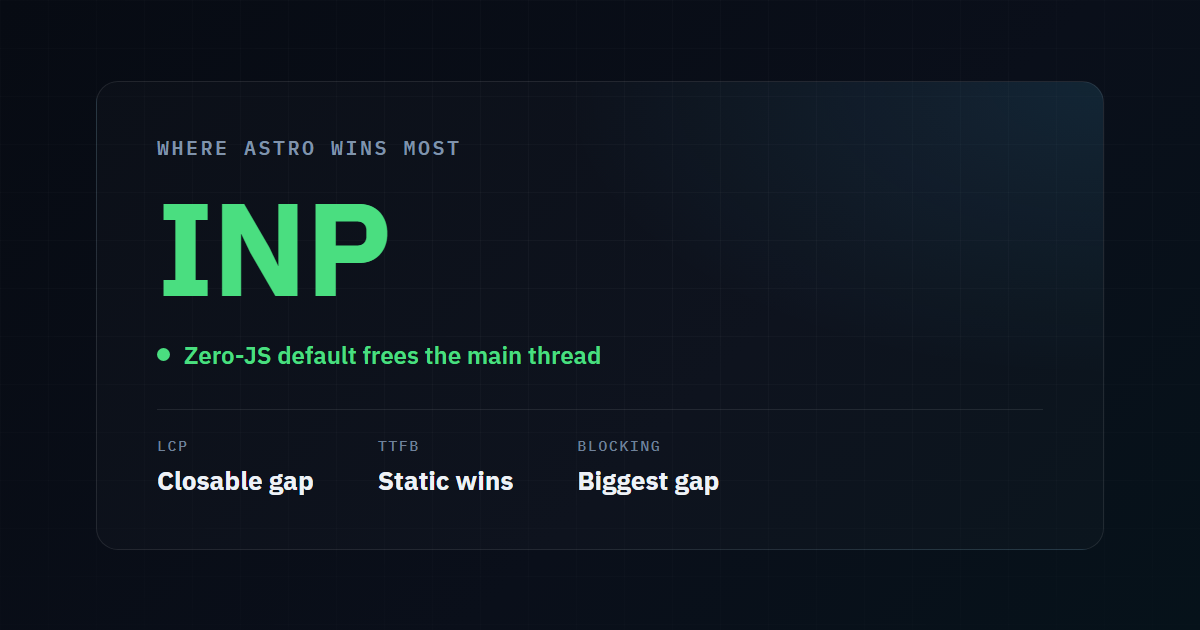
Typical gap: meaningful, but the most closable — a heavily optimized WordPress site with good hosting and lazy-loading can get LCP into the green. This is the metric where WordPress can compete if you work at it.
TTFB (Time to First Byte)
TTFB is how long the server takes to start responding. This is a structural WordPress weakness: PHP has to boot, query the database, run plugin hooks, and assemble the page before a single byte goes out. A static Astro page is already a file on disk — the server just sends it.
| WordPress | Astro (static) | |
|---|---|---|
| Work per request | Boot PHP, query DB, run hooks, render | Send an existing file |
| TTFB driver | Server speed + plugin count | Essentially just network + CDN |
| Caching needed to be fast? | Yes | No — it’s already static |
Typical gap: large, and this is where hosting and geography compound it — a slow WordPress TTFB gets worse the farther a user is from the origin server. We cover that specific problem in CDN edge coverage and TTFB.
Blocking Time and INP (Interactivity)
This is where the difference is starkest and hardest to close on WordPress. Every plugin script — sliders, page-builder runtimes, analytics, chat widgets — runs on the browser’s main thread. While that thread is busy, the page can’t respond to taps or clicks. That’s Total Blocking Time and its field-data cousin, INP.
Astro’s zero-JavaScript default means there’s usually nothing on the main thread to block it. A text page ships no runtime, so there’s nothing to execute and nothing to block interactivity.
Typical gap: the widest of any metric, and the one caching plugins can’t fix — because the problem isn’t the server, it’s the scripts already in the page.
Where the Difference Stops Mattering
Honesty demands the other side. The Astro advantage shrinks or disappears when:
- Your site is genuinely a dynamic application. Real-time dashboards, membership gates, per-user content — these need server logic Astro would have to add back, narrowing the gap.
- Your WordPress site is already lean and well-hosted. A minimal WordPress install on fast hosting with a single lightweight theme and aggressive caching can post respectable numbers. The gap is largest against bloated plugin stacks, not disciplined ones.
- Content quality is the actual bottleneck. If a page isn’t ranking because the content doesn’t match search intent, no amount of speed fixes that. Performance is a multiplier on good content, not a substitute.
The Practical Takeaway
For a marketing site, blog, or brochure site that renders the same for every visitor, the performance difference is real, structural, and mostly free once you’re on Astro — you’re not fighting your platform to stay fast; fast is the default. For a complex web app, the calculus is genuinely more nuanced and worth a careful look rather than a blanket answer.
The way to know which camp you’re in is to measure, not to guess.
Measure Your Own Numbers
Run your current site through our free tool and read the LCP, TTFB, and blocking-time bands specifically — those three tell you how much of the Astro advantage you’d actually capture. If TTFB and blocking time are poor, you’re a strong candidate; if everything’s already green, your bottleneck is elsewhere.
Run a free performance check →
Want the Faster Version Built?
We build and migrate content sites to Astro with Core Web Vitals as the spec. If your current numbers say there’s a real gap to close, we’ll show you the before-and-after before you commit.
Published by the Runkexpert Engineering Team. Last updated 2026-07-26.