WordPress SEO in 2026: Fixing Plugin Conflicts, Duplicate URLs, and Core Web Vitals

WordPress powers a huge share of the web, and that popularity is exactly why so many WordPress sites plateau at the same rankings ceiling: the same plugin conflicts, the same uncontrolled duplicate URLs, the same bloated page-builder payload. None of it is a WordPress limitation. It’s what happens when a platform built for flexibility gets configured by default settings and plugin marketing pages instead of a technical SEO review.
This guide covers the three issues we see most often in WordPress technical SEO audits, in the order they usually do the most damage: SEO plugin conflicts, duplicate URL variants, and Core Web Vitals collapse from page builders and plugin bloat. If you’re asking why your WordPress site isn’t ranking on Google despite having “an SEO plugin installed,” it’s almost always one of these three.
The WordPress SEO Plugin Conflict Nobody Warns You About
Installing an SEO plugin feels like the finish line. In practice, it’s the start of a new failure mode: running more than one of them at once, or leaving a deactivated plugin’s settings half-applied.
What Happens When Two SEO Plugins Are Both Active
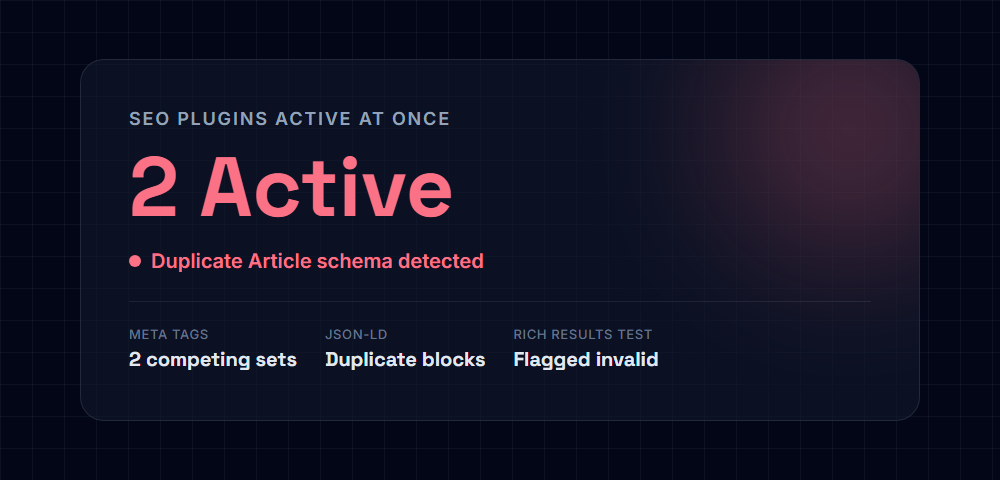
Yoast SEO, Rank Math, and All in One SEO all do the same core job: generate meta titles, meta descriptions, canonical tags, Open Graph tags, and JSON-LD schema for every page. Each one assumes it’s the only plugin doing this job. When two are active at the same time — a common leftover from switching plugins without fully deactivating the old one — both frequently fire on the same page load, producing:
- Two competing
<title>tag rewrites, where whichever plugin loads last silently overrides the other - Duplicate
ArticleorWebPageJSON-LD blocks in the same page’s source, which Google’s structured data parser may reject entirely rather than picking one - Conflicting canonical tags, sometimes pointing to two different URLs on the same page
None of this throws a visible error. The page renders fine in a browser. The damage only shows up when you view source or run the page through Google’s Rich Results Test and see duplicate or invalid schema.
The Fix: One Plugin, Fully Deactivated Alternatives
- Pick one SEO plugin and commit to it. The specific choice between Yoast, Rank Math, and AIOSEO matters far less than making sure only one is active.
- Fully deactivate the alternative — not just “turn off” its meta box in the editor. A deactivated-but-installed plugin can still hook into
wp_headin older versions or via leftover custom code; delete it if you’re not using it. - View page source after switching and confirm there is exactly one
<title>, one canonical tag, and one JSON-LD schema block for the page type. - Re-run the Rich Results Test on a sample of your key templates (home page, a post, a product or service page) to confirm Google parses valid, non-duplicate schema.
The WordPress Duplicate URL Problem
This is the structural issue that quietly caps rankings even on sites with clean content and a single, correctly configured SEO plugin.
Where WordPress Creates Duplicate URL Variants
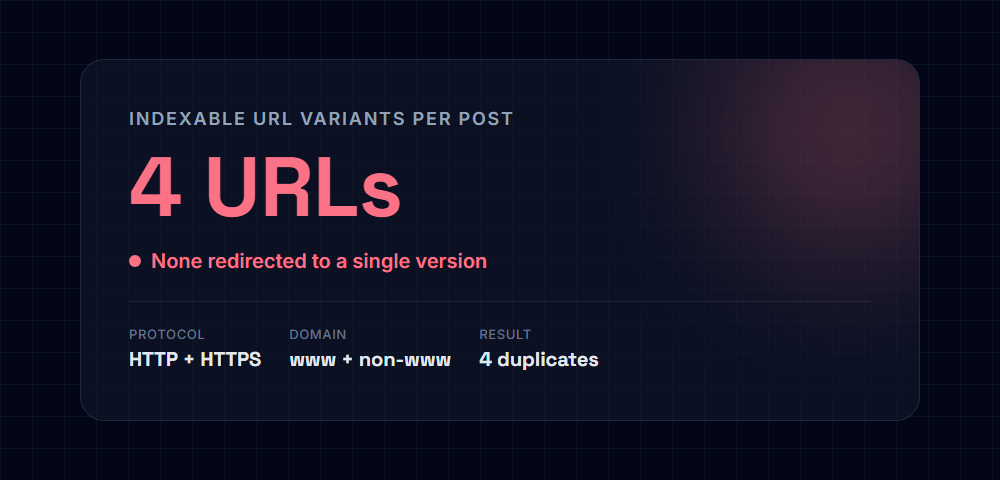
Unless explicitly locked down, the same piece of content is frequently reachable through several different URLs:
http://example.com/blog-post/
https://example.com/blog-post/
http://www.example.com/blog-post/
https://www.example.com/blog-post/
Add in category archives, tag archives, and date archives — each of which republishes excerpts (or full content, depending on theme settings) of the same posts under a different URL — and a single article can end up indexed, or eligible for indexing, under half a dozen effectively duplicate pages.
The Fix: Force One Canonical Version, Everywhere
- Force a single protocol and domain variant with a server-level 301 redirect (in
.htaccesson Apache or the server block on Nginx), not a plugin-level setting. A redirect at the server level is enforced before WordPress even loads, and it’s the only way to guarantee there’s truly one reachable version of every URL:
RewriteEngine On
RewriteCond %{HTTPS} off [OR]
RewriteCond %{HTTP_HOST} ^www\. [NC]
RewriteRule ^(.*)$ https://example.com/$1 [R=301,L]- Set category and tag archives to display excerpts, not full post content, in your theme’s archive template — this alone removes most of the duplicate-content risk those archive types create.
- Noindex low-value archive types (date archives, author archives on a single-author site) via your SEO plugin’s taxonomy settings, since they rarely have standalone search value and mostly exist to help internal navigation.
- Confirm your permalink structure is fixed and never changed after launch. Changing permalink structure on an established site without a full redirect map is one of the most common self-inflicted causes of a sudden ranking collapse — the exact failure mode we cover in more structural detail in our Shopify duplicate URL case study, which walks through the same canonicalization principle on a different platform.
Fixing Core Web Vitals in WordPress
This is the failure mode that most often turns “we did the SEO work” into “and it still didn’t help,” because it’s invisible in a plugin dashboard and only shows up in real performance testing.
Why Page Builders and Plugin Stacks Wreck TBT and INP
Visual page builders like Elementor and Divi ship a general-purpose runtime capable of rendering dozens of module types, animations, and interactions — and by default, that entire runtime loads on every page, whether or not that specific page uses those features. Layer on a typical WordPress plugin stack (SEO plugin, caching plugin, forms plugin, popup plugin, analytics plugin, security plugin) and you get the same structural failure we documented in our Total Blocking Time case study: a page that paints quickly but stays unresponsive to clicks and taps while the main thread works through scripts most visitors will never interact with.
How to Audit a WordPress Site’s Performance Stack
| Check | What it tells you |
|---|---|
| Run Lighthouse on a real post and a real page, not just the homepage | Page builder overhead and plugin scripts often concentrate on content templates, not the homepage |
| Review “Reduce unused JavaScript” and “Reduce unused CSS” audits | Directly identifies which plugin or builder is shipping code the page never uses |
| Disable plugins one at a time in a staging environment and re-test | The most reliable way to isolate which specific plugin is responsible for a performance regression |
Check your theme’s wp_head and wp_footer output for third-party script tags | Analytics, chat, and marketing pixels are frequently added directly to theme files and never get audited again after launch |
Fixes, in Order of Impact
- Remove plugins with a low usage-to-weight ratio. A page builder module you used once on one landing page a year ago isn’t worth loading its runtime sitewide.
- Load non-critical scripts conditionally, not on every page — a popup script has no reason to load on your checkout or cart page; a contact-form script has no reason to load on your blog archive.
- Switch heavy visual-builder pages to the native block editor where the page’s design doesn’t actually depend on the builder’s advanced features — most blog content and simple pages don’t.
- Compress and lazy-load images using a dedicated image optimization plugin or your host’s built-in image CDN, since unoptimized media is consistently one of the largest contributors to WordPress page weight.
- Re-test after every plugin or theme update. Performance regressions on WordPress are almost always incremental and easy to miss one update at a time.
The Three-Pillar WordPress Technical SEO Checklist
| Pillar | Symptom | Fix |
|---|---|---|
| Plugin conflicts | Duplicate or invalid schema, competing meta tags | Run exactly one SEO plugin, fully deactivate and remove the rest, verify with the Rich Results Test |
| Duplicate URLs | Same content indexed under multiple protocol/domain/archive variants | Server-level 301 redirects to one canonical version, excerpt-only archives, noindex low-value taxonomies |
| Core Web Vitals | High TBT/INP from page builder and plugin script bloat | Audit plugin-by-plugin with Lighthouse, remove low-value plugins, load the rest conditionally |
Need Your WordPress Site Audited?
Every one of these issues is diagnosable in a single technical audit, whether you’re running a small business site or a high-traffic WordPress build. If you’re searching for a WordPress SEO agency because your current setup “should be working” and isn’t, this is usually why. We cover all three pillars — plugin conflicts, duplicate URL architecture, and Core Web Vitals — as part of our technical SEO services.
Get a free WordPress technical SEO audit →
Published by the Runkexpert Engineering Team. Last updated 2026-07-14.