
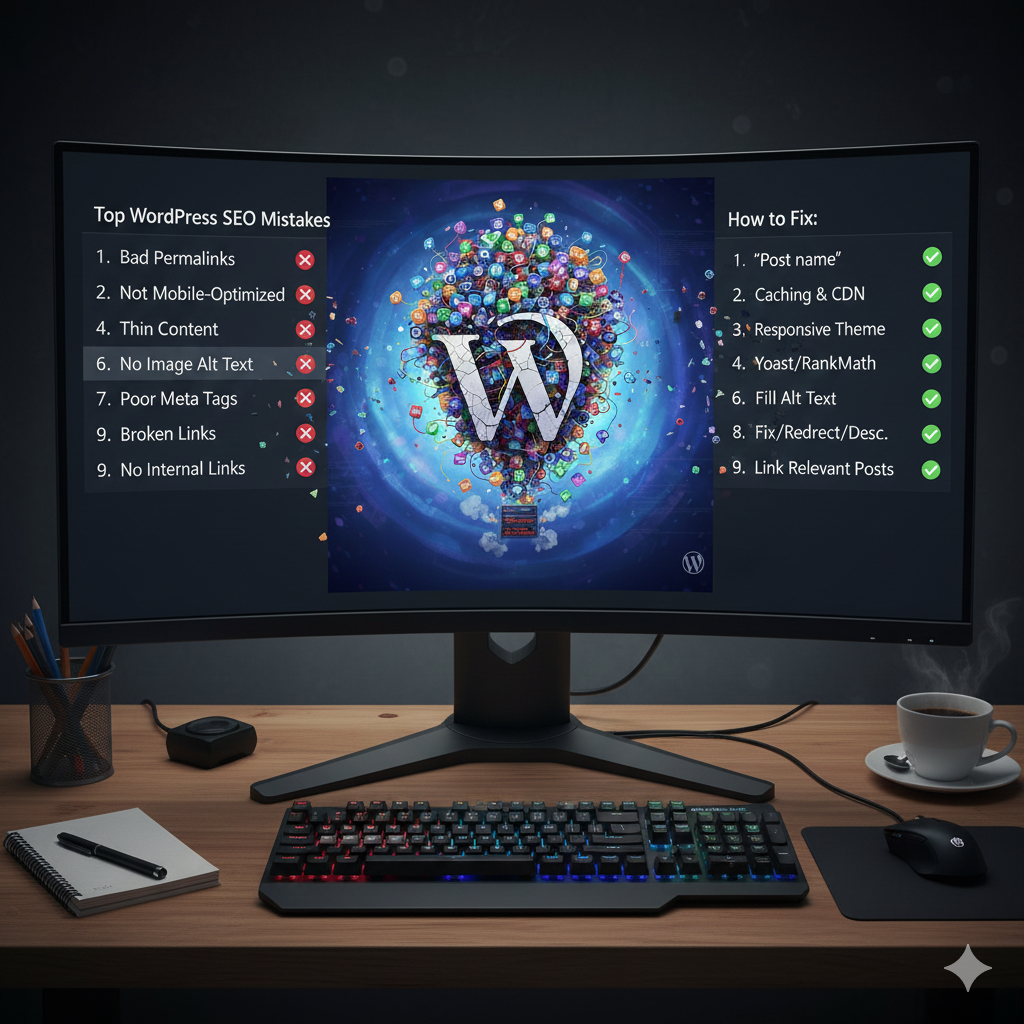
The 17 Most Common WordPress SEO Mistakes Killing Your Rankings in 2025
Fact: Over 65% of WordPress websites have at least one critical SEO error actively harming their search rankings—and most website owners don’t even know it exists.
I’ve conducted over 200 WordPress SEO audits in the past year alone, and I keep seeing the same patterns emerge. Business owners invest in beautiful themes, premium plugins, and quality content, only to find themselves stuck on page 2 or 3 of Google. Why? Because they’re making fundamental SEO mistakes that even their expensive plugins can’t fix.
In this comprehensive guide, I’ll walk you through the 17 most common WordPress SEO mistakes I encounter daily, explain exactly why they hurt your rankings, and provide step-by-step solutions you can implement today. As a certified SEO specialist with over 8 years of experience specifically in WordPress optimization, I’ve helped businesses recover from these exact errors and achieve consistent top rankings.
Understanding Google's E-E-A-T Framework
Before we dive into the mistakes, let’s quickly review Google’s E-E-A-T framework (Experience, Expertise, Authoritativeness, Trustworthiness), which has become increasingly important in 2025:
Experience: Does the content creator have firsthand experience?
Expertise: Demonstrable knowledge of the topic
Authoritativeness: Recognition as an authority in the field
Trustworthiness: Reliability and credibility of the website
Every mistake we’ll cover directly impacts one or more of these crucial ranking factors.
wordpress seo Mistakes #1: Choosing the Wrong Hosting Provider
The Problem: Many WordPress beginners start with cheap shared hosting without realizing it’s costing them rankings before they even begin.
Why It Hurts Your SEO:
Slow loading times directly impact Core Web Vitals
Downtime during traffic spikes means lost indexing opportunities
Poor security increases vulnerability to attacks and penalties
Hosting Performance Comparison Table:
| Hosting Type | Average Load Time | Uptime % | SEO Impact | Monthly Cost |
|---|---|---|---|---|
| Shared Hosting | 3–8 seconds | 99.5% | ❌ Negative | $3 – $10 |
| Managed WordPress | 1–3 seconds | 99.9% | ✅ Positive | $20 – $40 |
| VPS / Cloud | 0.5–2 seconds | 99.99% | ✅ Excellent | $30 – $100 |
| Enterprise | < 1 second | 99.999% | ✅ Optimal | $100+ |
The Solution: Invest in quality managed WordPress hosting. Providers like Kinsta, WP Engine, or SiteGround offer optimized servers specifically for WordPress with built-in caching, security, and automatic updates.
Pro Tip: Don’t just look at price—calculate the cost of lost rankings. An extra $20/month could be generating thousands in additional revenue.

Mistake #2: Ignoring Core Web Vitals
The Problem: Google’s Core Web Vitals became ranking factors years ago, but many WordPress sites still fail to meet the thresholds.
The Three Critical Metrics:
| Metric | What It Measures | Good Threshold | Common WordPress Issues |
|---|---|---|---|
| LCP (Largest Contentful Paint) | Loading performance | < 2.5 seconds | Large images, slow hosting |
| FID (First Input Delay) | Interactivity | < 100 ms | Too many JavaScript files |
| CLS (Cumulative Layout Shift) | Visual stability | < 0.1 | Ads, images without dimensions |
Quick Fixes for Each Metric:
For LCP Issues:
Implement lazy loading for images
Use a CDN (Content Delivery Network)
Optimize hero images
Minimize render-blocking resources
For FID Issues:
Defer non-critical JavaScript
Break up long tasks
Use a caching plugin properly
Minimize third-party scripts
For CLS Issues:
Add width and height attributes to images
Reserve space for ads and embeds
Avoid inserting content above existing content
Use
transforminstead of properties that trigger layout shifts
Mistake #3: Using Too Many Plugins
The Reality: Every plugin adds:
Additional database queries
Extra HTTP requests
Potential security vulnerabilities
Update maintenance requirements
Plugin Audit Checklist:
| Plugin Type | Acceptable Number | Risk Level | Alternative Approach |
|---|---|---|---|
| SEO Plugins | 1 (comprehensive) | Low | Choose one: Rank Math, Yoast, or AIOSEO |
| Caching Plugins | 1–2 | Medium | Combine server-level caching + one plugin |
| Security Plugins | 1–2 | Low | Managed hosting + one security plugin |
| Form Plugins | 1 | Low | Built-in forms or minimal form builder |
| Page Builders | 1 (or none) | High | Use Gutenberg or lightweight builders |
The Solution: Audit your plugins monthly. For each plugin, ask:
Is this plugin actively maintained?
Does it have a high number of active installations?
Are there security vulnerabilities reported?
Can I achieve the same result with less code?
Mistake #4: Poor Image Optimization
Shocking Stat: Unoptimized images account for 48% of page weight on average WordPress sites.
Common Image Errors:
Uploading large files directly from cameras
Using wrong file formats
Missing alt text
Not implementing responsive images
Image Optimization Table:
| Aspect | Common Mistake | Best Practice | Tool Recommendation |
|---|---|---|---|
| Format | Using PNG for photos | WebP for modern browsers, JPEG as fallback | ShortPixel, Imagify |
| Compression | No compression | Lossy compression optimized for web | Compress JPEG & PNG images |
| Dimensions | Full-size images | Serve appropriately sized images | Responsive Images WP |
| Lazy Loading | Loading all images at once | Native lazy loading | Built-in WordPress feature |
| Alt Text | Generic or missing | Descriptive, keyword-rich (natural) | Add manually or with AI |
Step-by-Step Image Optimization Process:
Before Upload: Resize images to maximum display size
Format Choice: WebP for photos, SVG for logos/icons
Compression: 75-85% quality for JPEG, 80-90% for WebP
Naming: Descriptive file names with keywords
Alt Text: Complete sentences describing the image
Implementation: Lazy loading + responsive images
Mistake #5: Duplicate Content Issues
The Problem: WordPress naturally creates multiple URLs for the same content through:
Pagination archives
Category/tag archives
Author archives
Date-based archives
HTTP vs HTTPS
WWW vs non-WWW
Duplicate Content Detection Table:
| Duplicate Type | Example URLs | SEO Impact | Solution |
|---|---|---|---|
| WWW / Non-WWW | site.com vs www.site.com | High | Choose one version, apply 301 redirect to the other |
| HTTP / HTTPS | http://site.com vs https://site.com | High | Force HTTPS and redirect all HTTP URLs |
| Pagination | /page/1/ vs / | Medium | Use rel="next" and rel="prev" or canonical to main page |
| Archive Pages | /category/news/ vs /tag/news/ | Medium | noindex low-value archives, consolidate taxonomy |
| Parameter URLs | /?s=search vs /search | Low | Clean URLs, manage parameters in GSC |
Mistake #6: Improper Use of Categories and Tags
Common Errors:
Creating hundreds of categories
Using tags as mini-categories
Empty category pages
Duplicate content between categories and tags
Categories vs Tags Comparison:
| Aspect | Categories | Tags |
|---|---|---|
| Purpose | Broad grouping | Specific details |
| Hierarchy | Yes (parent / child) | No |
| URL Structure | /category/name/ | /tag/name/ |
| SEO Value | High (if optimized) | Medium – Low |
| Ideal Number | 5–15 total | 10–30 per post |
Best Practices:
Categories: Think of them as your site’s table of contents
Tags: Think of them as your index terms
Rule: Every post must have 1 category, can have multiple tags
SEO Tip: Use
noindexfor tag archives if they’re thin on content
Mistake #7: Neglecting Mobile Optimization
2025 Reality: Over 60% of searches happen on mobile devices, and Google uses mobile-first indexing.
Mobile SEO Audit Checklist:
| Checkpoint | Passing Standard | Common WordPress Issues |
|---|---|---|
| Responsive Design | Yes | Fixed-width themes |
| Touch Targets | > 44px | Small buttons or links |
| Viewport Meta Tag | Present and correct | Missing or incorrect configuration |
| Font Size | Minimum 16px | Text too small on mobile |
| Pop-ups | Non-intrusive | Full-screen intrusive pop-ups |
Essential Mobile Optimization Plugins:
AMP for WordPress (if appropriate for your content)
WP Touch (for separate mobile themes)
Hummingbird (for mobile speed optimization)
Pro Tip: Test your site using Google’s Mobile-Friendly Test tool regularly, especially after theme or plugin updates.
Mistake #8: Slow Database Performance
The Hidden Problem: As your WordPress site grows, your database accumulates:
Post revisions
Spam comments
Transient options
Orphaned data
Database Optimization Table:
| Database Issue | Impact on SEO | Frequency to Clean |
|---|---|---|
| Post Revisions | Slows database queries | Weekly |
| Spam Comments | Increases backup size | Daily |
| Transient Options | Bloats database tables | Monthly |
| Orphaned Data | Slows overall operations | Quarterly |
| Table Overhead | Reduces database efficiency | Monthly |
Essential Database Optimization Plugins:
WP-Optimize
Advanced Database Cleaner
WP-Sweep
Mistake #9: Ignoring XML Sitemaps
Common XML Sitemap Errors:
Not submitting to Google Search Console
Including non-indexable pages
Missing important pages
No image/video sitemaps
Not updating after major changes
XML Sitemap Best Practices Table:
| Sitemap Type | What to Include | Frequency | Priority |
|---|---|---|---|
| Post Sitemap | Published posts | Daily | 0.8 |
| Page Sitemap | Important pages | Weekly | 1.0 |
| Category Sitemap | Main categories | Monthly | 0.6 |
| Image Sitemap | Featured images | Weekly | 0.3 |
| Video Sitemap | Embedded videos | When added | 0.5 |
Pro Configuration Tips:
Exclude paginated pages, search results, and admin pages
Set appropriate priorities based on importance
Submit to Google Search Console and Bing Webmaster Tools
Monitor for errors in Search Console regularly
Mistake #10: Poor Internal Linking Structure
The Problem: Most WordPress sites either:
Have no internal linking strategy
Link only to recent posts
Use generic anchor text like “click here”
Internal Linking Best Practices:
| Link Type | Anchor Text Strategy | Placement | Frequency |
|---|---|---|---|
| Contextual Links | Keyword-rich, descriptive | Within content | 2–3 per 1000 words |
| Navigation Links | Clear, user-friendly | Header / Footer | Consistent |
| Related Posts | Title or variations | After content | 3–5 per post |
| Breadcrumbs | Page hierarchy | Top of content | Every page |
Advanced Internal Linking Strategy:
Create Content Clusters: Group related articles together
Use Pillar Pages: Create comprehensive guides that link to cluster content
Implement Breadcrumbs: Helps both users and search engines understand structure
Update Old Content: Add links to new relevant articles
Mistake #11: Not Using Schema Markup
2025 Importance: Schema markup helps search engines understand your content better and can lead to rich results.
Essential Schema Types for WordPress:
| Schema Type | Best For | Implementation Method |
|---|---|---|
| Article | Blog posts | Yoast or Rank Math |
| Organization | About page | Manual implementation |
| LocalBusiness | Local businesses | Schema Pro plugin |
| FAQ | FAQ sections | Gutenberg block |
| HowTo | Tutorials | Manual or plugin |
| Product | E-commerce | WooCommerce + plugin |
Mistake #12: Ignoring Security Best Practices
SEO Impact of Security Issues:
Google blacklisting for malware
Negative user experience from hacked sites
Loss of trust from visitors
Manual actions in Search Console
WordPress Security Checklist:
| Security Aspect | Essential Protection | Recommended Plugin |
|---|---|---|
| Login Security | Two-factor authentication | Wordfence |
| Malware Scanning | Regular scans | Sucuri |
| Firewall | Web Application Firewall | Cloudflare |
| Updates | Automatic minor updates | Built-in WordPress |
| Backups | Daily offsite backups | UpdraftPlus |
Critical Security Steps:
Change default “admin” username
Limit login attempts
Use strong passwords
Install SSL certificate
Regular security audits
Mistake #13: Poor URL Structure
Common URL Mistakes:
Using dates in URLs unnecessarily
Too many parameters
Non-descriptive slugs
Case sensitivity issues
URL Best Practices Table:
| URL Component | Best Practice | Example |
|---|---|---|
| Protocol | HTTPS always | https:// |
| Subdomain | Avoid unless necessary | blog.site.com only if needed |
| Path | Descriptive, keyword-rich | /wordpress-seo-mistakes/ |
| Slug | Lowercase, hyphens | common-seo-errors |
| Parameters | Minimize | Avoid ?id=123&cat=5 |
Mistake #14: Not Optimizing for Voice Search
2025 Reality: Over 50% of searches are voice-based, requiring different optimization approaches.
Voice Search Optimization for WordPress:
| Voice Search Factor | Optimization Strategy | WordPress Implementation |
|---|---|---|
| Natural Language | Use question-based content | FAQ blocks, conversational tone |
| Featured Snippets | Direct, concise answers | Clear H2/H3 structure |
| Local Intent | "Near me" optimization | Local SEO plugins |
| Fast Loading | <3 second load time | Caching, optimization plugins |
| Mobile-Friendly | Perfect mobile experience | Responsive themes |
Mistake #15: Forgetting to Optimize for Featured Snippets
Featured Snippet Optimization Table:
| Snippet Type | Content Structure | WordPress Implementation |
|---|---|---|
| Paragraph | Clear answer followed by explanation | Use H2 for question, clear paragraph answer |
| List | Numbered or bulleted lists | Use ordered/unordered lists in Gutenberg |
| Table | Well-structured tables | Table block with clear headers |
| Video | Optimized video content | Video schema, proper titles |
Mistake #16: Ignoring Analytics and Search Console Data
Critical Metrics to Monitor:
| Metric | Where to Find | Action Threshold |
|---|---|---|
| Click-Through Rate | Search Console | Below 3% needs improvement |
| Impression Growth | Search Console | Should increase monthly |
| Bounce Rate | Google Analytics | Above 70% needs attention |
| Page Load Time | PageSpeed Insights | Above 3 seconds needs work |
| Crawl Errors | Search Console | Should be 0 |
Essential Dashboard Setup:
Connect Google Analytics 4 to WordPress
Verify site in Google Search Console
Set up goal tracking for conversions
Create custom dashboards for SEO metrics
Mistake #17: Not Having a Content Update Strategy
The Reality: Google favors fresh, updated content, but most WordPress sites publish and forget.
Content Refresh Schedule:
| Content Type | Update Frequency | Update Actions |
|---|---|---|
| Evergreen Content | Every 6-12 months | Update stats, add new information |
| Time-Sensitive | As needed | Update dates, remove outdated info |
| High-Performing | Every 3-6 months | Expand, add new sections |
| Underperforming | Evaluate at 6 months | Rewrite or consolidate |
Comprehensive WordPress SEO Audit Checklist
| Area | Checkpoints | Priority |
|---|---|---|
| Technical SEO | Sitemap, robots.txt, HTTPS, speed | High |
| On-Page SEO | Titles, metas, headers, content | High |
| Content Quality | Freshness, depth, E-E-A-T | Medium |
| User Experience | Mobile, navigation, readability | High |
| Security | SSL, updates, protection | Critical |
Conclusion: The Path to WordPress SEO Success
Fixing these 17 common mistakes won’t happen overnight, but addressing them systematically will transform your WordPress site’s search performance. Start with the technical issues (hosting, speed, security), then move to content optimization, and finally focus on advanced strategies like schema and voice search.
Need Professional Help with Your WordPress SEO?
Our team specializes in comprehensive WordPress SEO audits and optimization. We’ve helped hundreds of businesses identify and fix these exact mistakes.
Get Your Free WordPress SEO Audit – We’ll analyze your site against all 17 points and provide a customized action plan.
Which of these mistakes have you been making? Share in the comments below, and let’s discuss specific solutions for your site!