How On-Page SEO Turns Your Website into a Search Engine Magnet!
In the world of online visibility, On-Page SEO is the process of making sure your shop window is sparkling clean, the signs are clear, and the internal navigation makes sense. It’s the foundational work that happens directly on your website pages to tell both search engines (like Google) and human visitors exactly what your content is about and why it’s the best answer to their query.
Think of it this way: Technical SEO builds the house, Off-Page SEO spreads the word about the house, but On-Page SEO is the interior design and staging—it’s what makes people want to move in!
If you’re still wrapping your head around the bigger SEO picture, we highly recommend checking out our foundational article: The Definitive Guide to SEO in 2025
In this guide, we are going to walk through every single dial and lever you control on your actual web pages. We’ll cover everything from crafting content that makes people say “Wow!” to tweaking those tiny HTML tags that give Google the necessary hints. Let’s dive in and turn your content into a true search engine magnet!
2. The Heart of On-Page :
This is the most time-consuming, yet most rewarding, part of On-Page SEO. Google’s core mission is to provide the best, most relevant answer to a user’s question. Your job is to be that best answer.
2.1. It All Starts with Understanding Your Audience (and Their Questions!)
Before you type a single word, you need to know why someone is searching for your topic. This is called Search Intent.
Informational: The user is looking to learn something (“How does On-Page SEO work?”). Your job: Provide a detailed, easy-to-read guide.
Navigational: The user is looking for a specific site (“Facebook login”). Your job: Not applicable, unless they’re navigating to your brand.
Transaction/Commercial: The user is looking to buy or convert (“Best SEO agency in New York,” or “Buy blue widget”). Your job: Provide product pages, pricing, and compelling reasons to purchase.
Commercial Investigation: The user is researching before a purchase (“Blue widget review,” or “SEO software comparison”). Your job: Provide detailed reviews, comparisons, and feature lists
Why Intent Matters: You could have the most beautifully written product page (Transaction intent) in the world, but if a user is searching for a general definition (Informational intent), Google won’t show your page because it doesn’t match what the user is really looking for. Matching intent is the fastest way to signal relevance to Google.
2.2. Keyword Research: Your Treasure Map to Discovery
Keywords are the language your customers use. They are the phrases that connect a searcher to your content.
Beyond the Head Term: Don’t just target single, super-competitive “head terms” (e.g., “SEO”). Focus on long-tail keywords (e.g., “how to optimize images for web speed”) and semantic keywords (related terms Google expects to see, like “metadata,” “schema,” and “crawling” in an SEO article).
How to Use Keywords Naturally: This isn’t about jamming your target phrase into every sentence—that’s “keyword stuffing” and Google will penalize you for it! It’s about flow. If the content is genuinely good, the relevant keywords and semantic terms will appear naturally. Use your primary keyword in the first paragraph, and then let it guide the conversation, not dominate it.
Image Idea: A graphic showing a magnifying glass over keywords, or a treasure map leading to search results. (Imagine an image tag here of a magnifying glass over a map with keywords like “SEO” and “long-tail” highlighted.)
2.3. Crafting Irresistible Content: Quality Over Quantity (Usually!)
The 2,500-word count on this article isn’t arbitrary; it’s designed to ensure we are comprehensive.
Comprehensive & Authoritative: Be the best answer on the internet for your topic. This means addressing every subtopic, pre-empting follow-up questions, and providing detailed examples. If your article only scratches the surface, a competitor who goes deeper will likely outrank you.
E-A-T (Expertise, Authoritativeness, Trustworthiness): This is a huge factor, especially in sensitive topics (Your Money Your Life – YMYL). Show your expertise by referencing sources, linking to authoritative sites (even if they’re not yours), and having clear author bios that establish credibility.
Readability: No one likes reading a dense wall of text. Use:
Short Paragraphs: 3-5 sentences maximum.
Bullet Points and Numbered Lists: Breaks up text and highlights key takeaways.
Active Voice: Makes the writing punchy and engaging.
Visuals & Multimedia: Images, videos, and infographics break up text, increase engagement, and can explain complex topics more clearly. Crucially, they improve dwell time, which is a strong signal to Google that your users are satisfied.
| Element | Description | Why it Matters for On-Page SEO |
|---|---|---|
| Comprehensive | Covers the topic thoroughly, answering all likely user questions. | Reduces bounce rate, builds authority, signals value to Google. |
| Unique Value | Offers fresh insights, perspectives, or data not found elsewhere. | Differentiates your content, earns backlinks naturally. |
| Readability | Easy to scan and understand with clear language and formatting. | Improves user experience, reduces bounce rate, aids comprehension. |
| E-A-T | Written by experts, backed by data/sources, trustworthy. | Crucial for rankings, especially in YMYL (Your Money Your Life) topics. |
3. Optimizing Your Page's : HTML Elements
These are the direct signals you send to Google’s bots. They are the metadata that creates your listing on the search results page (SERP).
3.1. Title Tags: Your Page's Name Tag (The Most Important On-Page Element!)
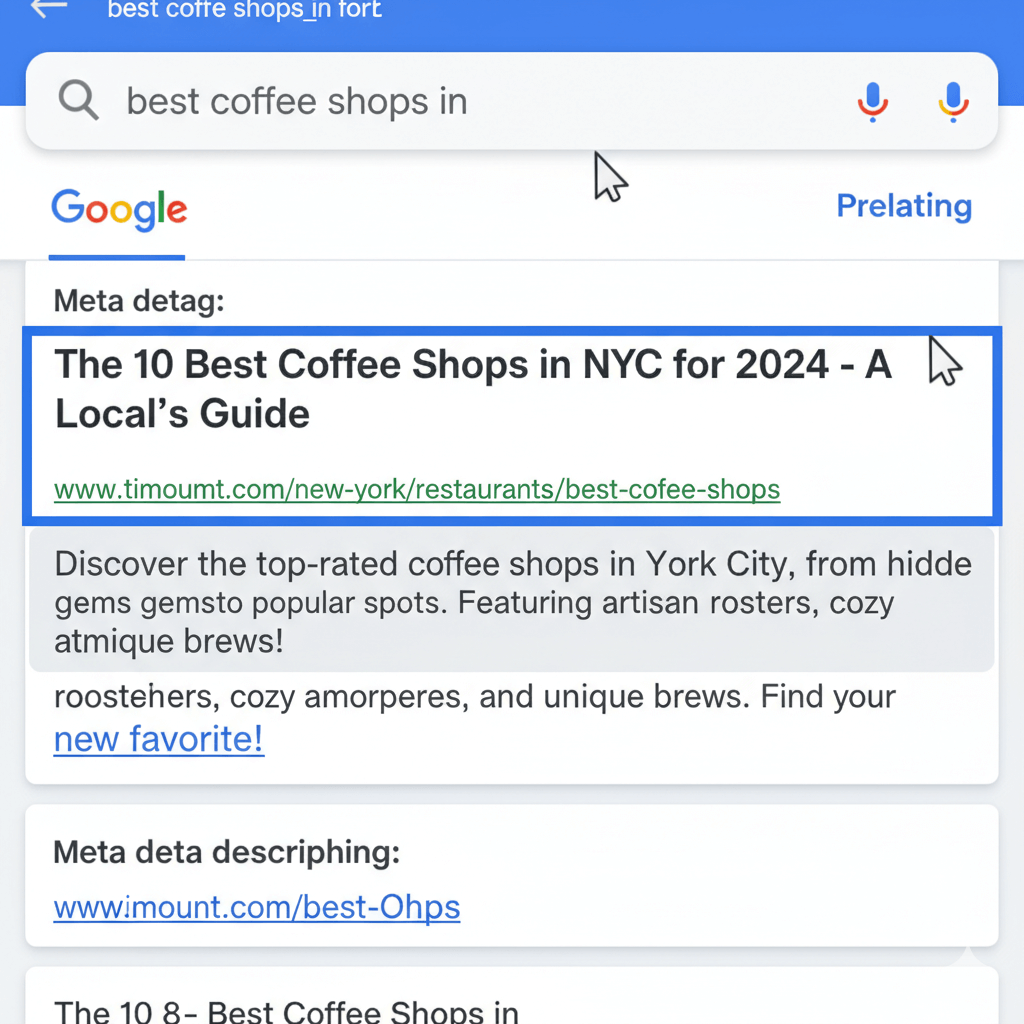
The Title Tag (<title>...</title>) is the single most important on-page signal. It’s the clickable blue headline in the search results.
Best Practices:
Primary Keyword First: Place your main target keyword as close to the beginning as possible.
Length: Aim for 50-60 characters (or approximately 580 pixels) to avoid truncation (getting cut off).
Compelling and Unique: It needs to be catchy! Add a year (“2025 Guide”), a number (“5 Steps”), or a benefit (“Learn How”). Every page on your site must have a unique title tag.
3.2. Meta Descriptions: Your Organic Ad Copy
The meta description is the short summary that appears under the title tag. It is NOT a direct ranking factor, but it has a colossal indirect impact on your rankings by influencing your Click-Through Rate (CTR).
Best Practices:
Include Keywords: Google often bolds the keywords in the description that match the user’s query, making your result stand out.
Clear Call-to-Action (CTA): End with an action prompt: “Learn how,” “Get the free template,” or “Read the full case study.”
Length: Keep it between 120 and 160 characters.
3.3. Header Tags (H1, H2, H3...): Structuring Your Story
Header tags (<h1>, <h2>, etc.) act like a book’s table of contents. They break up content, making it scannable for both users and search engines.
H1: The single most important header. There should only be ONE H1 per page. It should be the main title of your article and usually contains your primary keyword.
H2s: These are your main section titles (like sections 2 and 3 in this article). They should cover the main subtopics and can include secondary keywords.
H3s and H4s: These break down the H2 sections into manageable sub-points.
4. The Unsung Heroes: Image and URL Optimization
These elements are often overlooked, but they provide crucial context to search engines that can’t “see” an image or understand a messy URL.
4.1. Image Optimization: More Than Just Looking Good
Images are heavy! They can tank your page speed (a Technical SEO factor), but they are an On-Page asset that needs tuning.
File Size: Use tools to compress images without significant loss of quality. Consider next-gen formats like WebP.
File Name: Don’t leave it as
IMG_0045.jpg. Rename it to something descriptive and keyword-rich, likeon-page-seo-checklist.jpg.Alt Text (Alternative Text): This is the text displayed if the image fails to load, and it’s what screen readers use. It’s vital for accessibility and SEO. Describe the image content naturally, incorporating a keyword when relevant.
Bad Alt Text:
chartGood Alt Text:
Flow chart illustrating the four main steps of on-page SEO.
4.2. URL Structure: The Address Label of Your Content
Your URL (Uniform Resource Locator) should be clean, short, and descriptive.
Keep it Short: Shorter URLs are easier to read and share.
Use Keywords: Include your primary keyword in the URL slug.
Use Hyphens: Use hyphens (
-) to separate words, not underscores (_).Avoid Dates/Stop Words: Avoid unnecessary words like “the,” “a,” “is,” or dates (unless the date is crucial to the content).
Bad URL:
youragency.com/blog/2025/article?id=45&title=onpage-seo-guideGood URL:
youragency.com/guide/on-page-seo-guide
5. The User Experience (UX) Factor: Keeping People Hooked
Google heavily weights metrics that show user satisfaction. If people land on your page and immediately leave (high bounce rate), Google sees that as a sign that your content didn’t deliver.
5.1. Internal Linking: Connecting Your Content Ecosystem
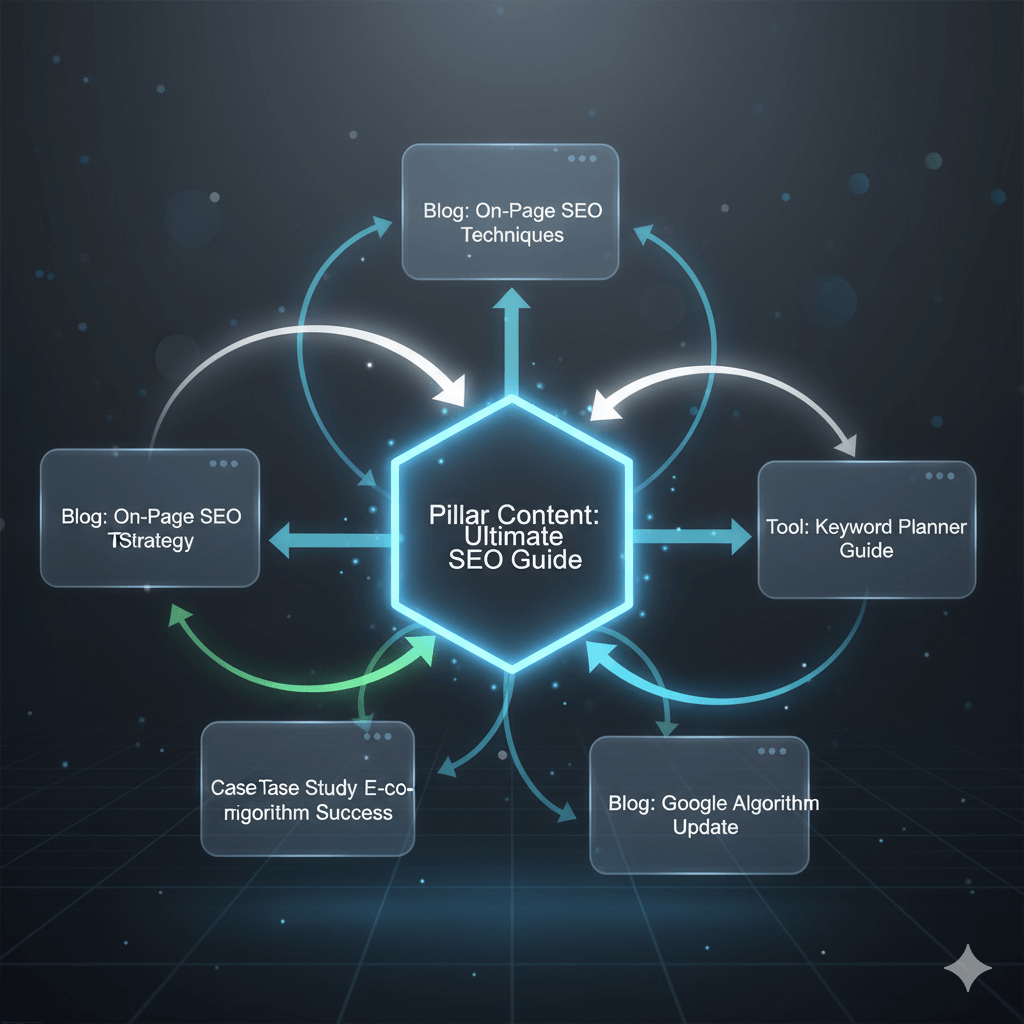
Internal links (links from one of your pages to another of your pages) are the most direct way to control the flow of SEO authority (PageRank) across your site.
Spreads Authority: Passing link juice from high-authority pages to new or important pages.
Keeps Users Engaged: Encourages users to read more of your content, increasing time on site.
Defines Context: The anchor text (the clickable words) tells Google exactly what the linked page is about.
5.2. External Linking: Sharing the Resources (Smartly!)
Don’t be afraid to link out to other high-authority sources (e.g., government sites, major news sites, Google’s own documentation). This demonstrates that you are well-researched and trustworthy—a major component of E-A-T.
5.3. Mobile-Friendliness: The Non-Negotiable
While this falls under the umbrella of Technical SEO, the experience of using your page on a mobile device is absolutely an On-Page concern. Google operates on mobile-first indexing, meaning it looks at your mobile site first to determine rankings. If your buttons are too small or text is unreadable on a phone, your On-Page efforts will be wasted.
6. On-Page SEO Checklist: Your Action Plan
To ensure you never miss a step, here is a quick-fire checklist you can use before hitting ‘Publish’ on any new piece of content.
| Component | Checkbox | Action Item |
|---|---|---|
| Title Tag | ✅ | Unique? Under 60 characters? Includes primary keyword? |
| Meta Description | ✅ | Unique? Under 160 characters? Includes CTA and keywords? |
| H1 Tag | ✅ | Only one H1? Includes primary keyword? |
| Content | ✅ | Matches user intent? Is it the best answer available online? |
| Keyword Usage | ✅ | Primary keyword in the first paragraph? Keywords used naturally? |
| Header Tags | ✅ | H2s and H3s used to logically structure the content? |
| Internal Links | ✅ | Included 3–5 high-value internal links with descriptive anchor text? |
| External Links | ✅ | Linked out to 1–2 authoritative sources where relevant? |
| URL Slug | ✅ | Short, clean, and contains the primary keyword? |
| Images | ✅ | Compressed for speed? File names and Alt Text optimized? |
7. Conclusion: The Foundation of SEO Success
On-Page SEO is not a one-time thing—it’s a continuous process of review, optimization, and refinement. It requires dedication to understanding your users and translating that understanding into clear, structured, and helpful content.
When you do your On-Page work correctly, you are sending a loud, clear message to search engines: “This page is exactly what your users are looking for, and it provides an excellent experience.”
You have direct control over every single one of these factors, making On-Page SEO the most accessible and often the most rewarding place to start your optimization journey.
Pingback: Technical SEO: The Foundation Every Website Needs (But Most Ignore) - runkexpert.com
Pingback: Off-Page SEO: Building Digital Authority in 2025 - runkexpert.com